About Chefdesk Restaurant Billing Software
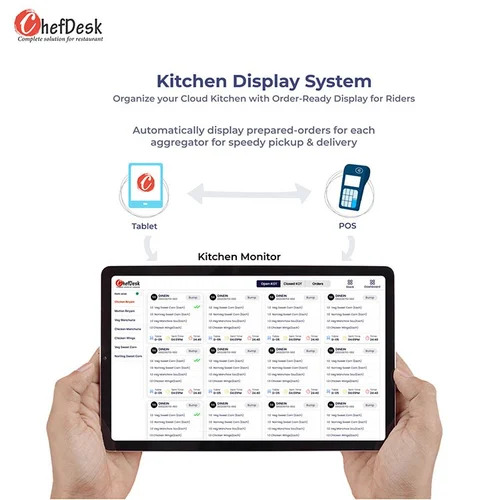
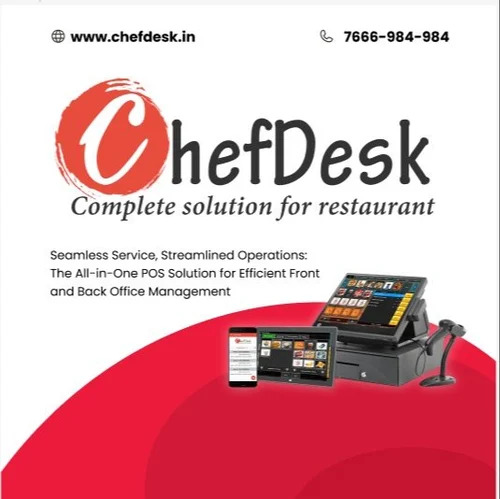
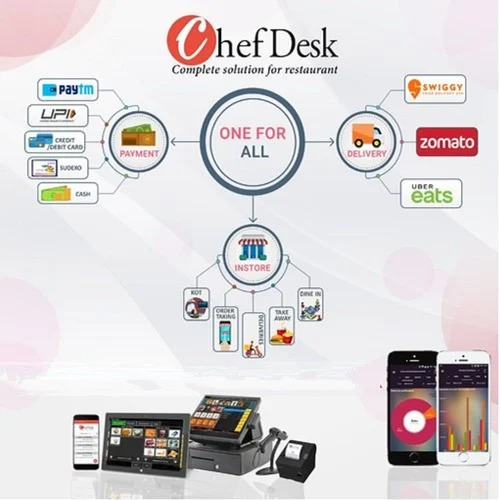
Capitalise on efficiency and elevate restaurant operations with Chefdesk Restaurant Billing Software. This classic solution, available for cloud and on-premise deployment, offers multi-outlet management and is fully decorated with prime features like GST billing, WhatsApp integration, Swiggy online support, and dual user capacity. The software is user-friendly, secure (with data encryption and user access controls), and adaptable for small businesses, bars, and cafes. Highlighted by its flexible, subscription-based pricing, Chefdesk runs smoothly on Windows for PCs and mobile devices. Enjoy significant savings with a free demo and responsive online support across India.
Chefdesk Advantages & Standout Features
Chefdesk Restaurant Billing Software's primary competitive edge lies in its multi-outlet management, seamless Swiggy integration, and advanced GST billing capabilities. Key special features include WhatsApp connectivity for real-time updates, dual-user functionality, and a decorated user-friendly GUI interface. Material attributes like robust data encryption and tailored user access underscore top-tier security. Designed with flexibility and growth in mind, Chefdesk's subscription model suits evolving restaurant and bar needs while enhancing productivity and customer experience.
Sample Policy, Delivery, and Export Shipping
Our sample policy ensures prospective buyers can explore Chefdesk Software with a secure free demo-ideal for evaluating features before purchase. Rapid delivery times position Chefdesk as the prime solution for fast-paced restaurant requirements, while FOB Port and secure shipping practices guarantee peace of mind for local and export market clients. Sale price transparency and adaptability distinguish our offer, enabling traders, distributors, and service providers in India to deliver value-added solutions promptly.
FAQ's of Chefdesk Restaurant Billing Software:
Q: How does Chefdesk Restaurant Billing Software support multi-outlet operations?
A: Chefdesk is designed for seamless management across multiple outlets, allowing centralized control of billing, inventory, and reporting for chains or franchises.
Q: What is the process for downloading and installing the Chefdesk demo?
A: Simply request a free demo through our website or distributor. You will receive download instructions compatible with Windows systems for easy installation and evaluation.
Q: Where can I access support for Chefdesk software issues?
A: Support is available online and remotely. You can contact our expert team anytime for troubleshooting, software guidance, or remote assistance.
Q: What type of security features does Chefdesk offer for sensitive data?
A: Chefdesk safeguards your business with advanced data encryption protocols and flexible user access controls, ensuring only authorized personnel access confidential information.
Q: Can I use Chefdesk on my mobile device or PC?
A: Absolutely. Chefdesk is compatible with both Windows PCs and mobile devices, making restaurant management convenient whether onsite or remote.






 Send Inquiry


 Send Inquiry